
Gimbal and Video Transmission Preflight: Balance, Cables, Power and Director Monitoring
A field-derived preflight checklist built from an HDMI compatibility failure: full-rig balance, cable-chain testing, backup paths and director monitoring.
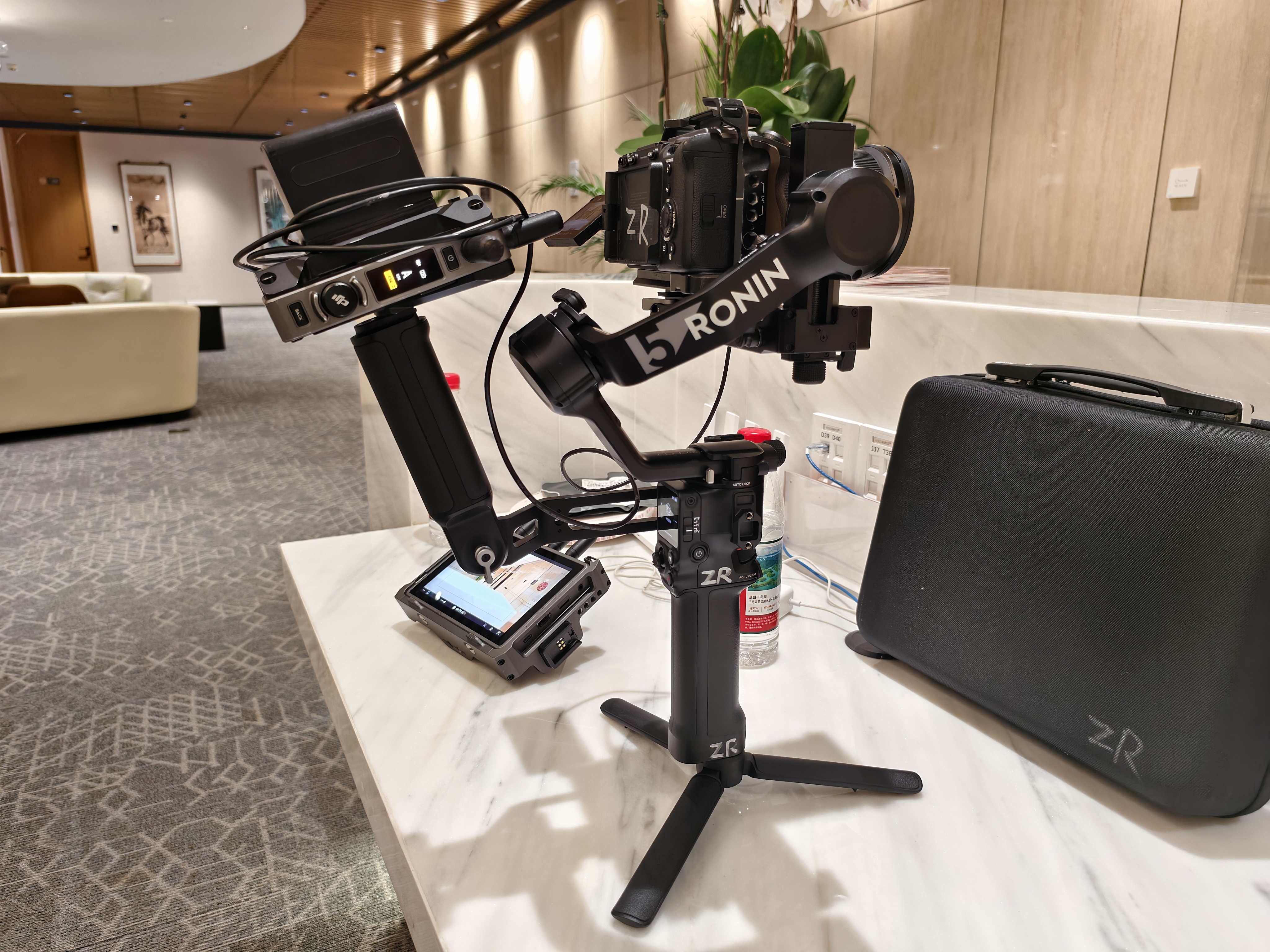
Project-site image showing equipment placement and working conditions.
Direct answer
Test the gimbal and video link as one complete rig. Camera, lens, accessories, cable, power and monitor must complete a real end-to-end run before departure.
01
Lock the final payload before balancing
Choose the body, lens, filters, focus system, transmitter, cables and power placement first. Any change can move the center of gravity and alter motor load.
After mechanical balance, test stillness, slow movement, turns and required modes. Leave cable travel without letting a cable enter an axis or pull against a motor.
Checklist
- ✓Final lens and accessories
- ✓Three-axis balance
- ✓Motor-load check
- ✓Full-angle cable-interference check
02
Validate cable compatibility across the whole chain
In this project, some HDMI cables were unstable with the transmission chain and a tested spare restored the link. A failure can also come from a loose port, output format, power or wireless environment.
Connect the actual camera, transmitter, receiver, director monitor and cable before departure. Run it continuously and gently move the connector area while watching for blackouts or drops.
Checklist
- ✓Connector and direction
- ✓Output format
- ✓Sustained run
- ✓Gentle movement test
- ✓Spare-cable retest
03
Give director monitoring a fallback
The link exists so the director can make decisions. Assign receiver ownership, battery monitoring and a fallback such as wired monitoring or camera playback.
The radio environment changes by venue. On arrival, test movement range and obstruction before final placement.
Checklist
- ✓Monitoring owner
- ✓Receiver power
- ✓Obstruction test
- ✓Wired or playback fallback
04
Keep a reusable packing record
Record each verified body, lens, gimbal, cable and power combination. Revalidate after body, firmware or accessory changes.
Quarantine and label failed cables immediately. A spare is only a spare after it passes the same test.
Checklist
- ✓Combination card
- ✓Verification date
- ✓Fault isolation
- ✓Retest after change
Frequently asked questions
Why does a gimbal need rebalancing on location?
A changed lens, filter, transmitter, cable or power position changes the center of gravity. Balance the final configuration.
Does a video drop always mean poor wireless signal?
No. Cable compatibility, loose connectors, output format and power can also cause drops.
Is carrying a spare HDMI cable enough?
No. Test the spare on the target chain and label its verified direction before departure.